Ken's Family Tree Organizer (KFTO) Installation Instructions
| Step 1 - Install Sql Server Express 2019/2022 & other required Microsoft Framework components |
Click here to Download & Install Sql Server Express 2022 for Windows 10/11 |
Click here to Download KFTO for Windows 10/11 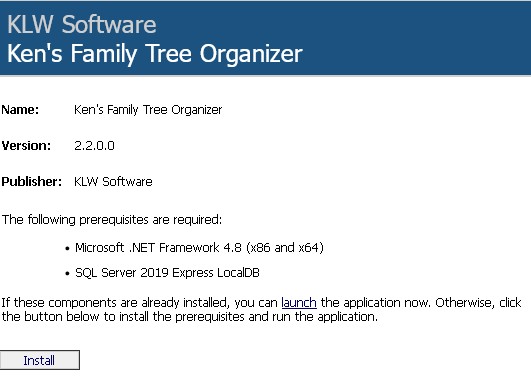 |
| Click the Install Button at the bottom of the page. |
| Step 2 - Setting up KFTO Request free Registration Key from updates@kdsk.net. Or use 'FreeTrial2016' as Registration Key. Click the browse button to select an unencrypted & uncompressed directory for your databases. Make a new folder if desired. Next Enter a name for your new database and then click 'Create New Database'. 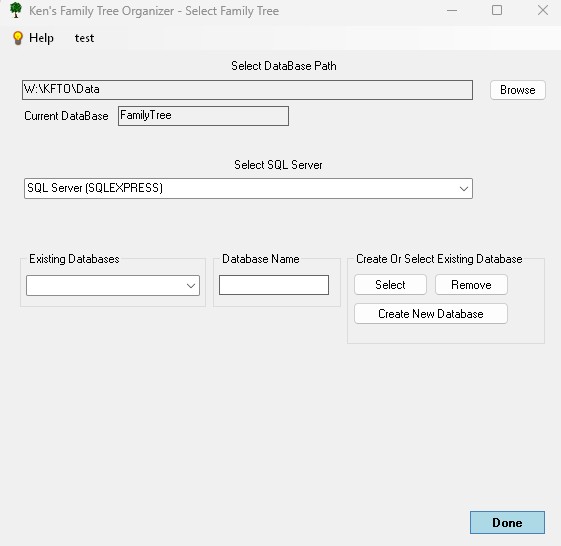 |
On this screen, just enter a family name and click 'Done' for now. 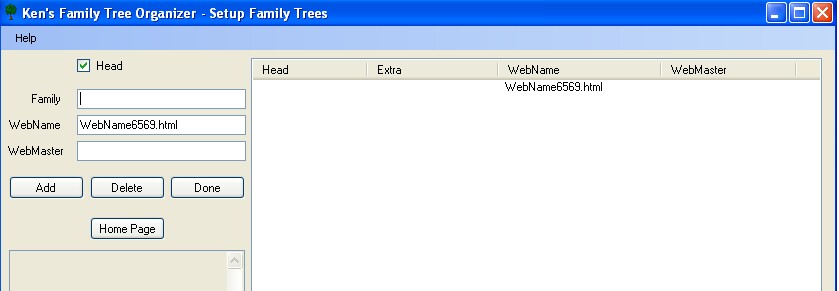
|
The Select Family Screen will now reappear. Click the bottom 'Browse' button to select a directory to store your new web pages. Make a new folder if desired. Then Click 'Create Sub-Dir' to create the necessary sub-directories for your source references. 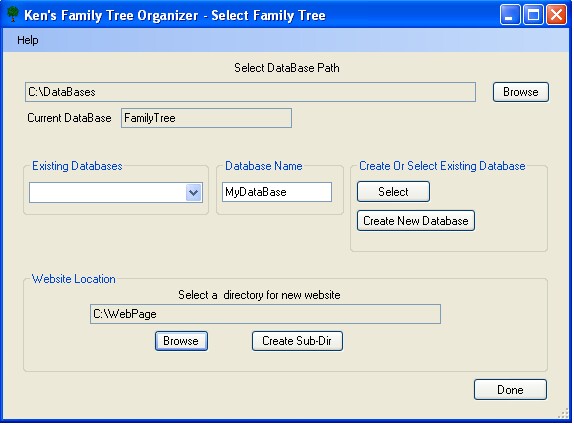
|
Click 'Done' and you're ready to start filling in your tree. Use the Help menus for guidance through the options. |
Knoxville, Tennessee 37922